

Web design and SEO are often seen as separate, but they actually go hand-in-hand. Your site’s design elements impact crucial SEO factors like load times, mobile responsiveness, and the overall user experience. A cluttered, graphics-heavy design can slow your site down, hurting your search rankings. Conversely, a clean, streamlined design can improve load times and user experience, leading to better positions in search results.
While pure aesthetics don’t directly influence SEO, they play a big part in how users interact with your site. A visually appealing design encourages visitors to spend more time on your site, reducing bounce rates and increasing dwell time. These behavioural signals are key to SEO, as search engines see them as indicators of quality and relevance. A professional design also builds trust, making visitors more likely to engage with your content and share it.
A well-designed website can also significantly boost your conversion rates. By creating a user-friendly design that seamlessly guides visitors, you encourage them to take desired actions, like signing up for a newsletter or making a purchase. This not only increases your conversions but also sends positive signals to search engines, further enhancing your SEO. Clear calls-to-action, easy navigation, and compelling visuals are all essential design elements here.
User Experience (UX) and Dwell Time
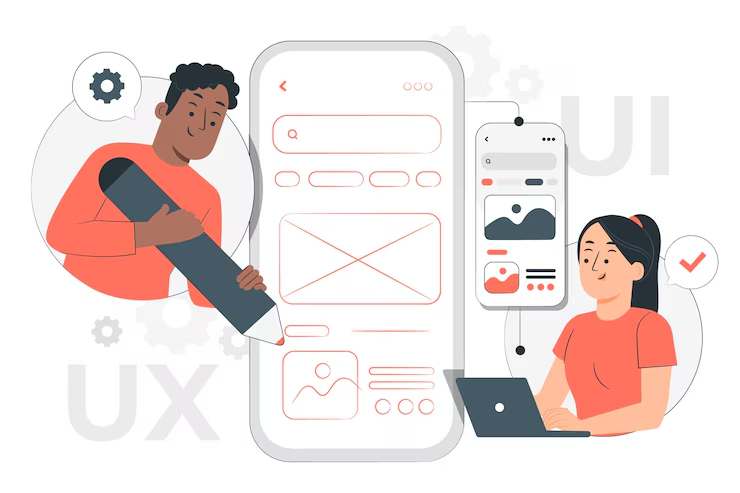
At the heart of effective web design and a crucial SEO factor is user experience (UX). A user-centric design focuses on creating a seamless, intuitive experience that meets your audience’s needs. When users have a positive experience, they’re more likely to stay longer, explore more pages, and return in the future. This increases your dwell time, a key metric that search engines use to assess your site’s quality.
Intuitive navigation is a critical component of UX. It allows users to find information quickly and easily, reducing frustration and encouraging them to explore. Use clear labels, a logical hierarchy, and a consistent layout across your site. Incorporating a search function can also greatly enhance usability, especially for content-rich sites.
Interactive design elements, such as animations, sliders, and forms, can boost user engagement and dwell time. However, use these judiciously, as they can impact load times and usability if not implemented correctly. Ensure interactive features are optimised for performance and add value to the user experience.
Mobile Responsiveness: A Must-Have
With mobile devices accounting for a significant chunk of web traffic, a mobile-first design approach isn’t optional – it’s a necessity. Google has adopted mobile-first indexing, meaning it primarily uses the mobile version of a site for ranking. So, making sure your site is mobile-responsive is crucial for SEO success. A responsive design adapts to different screen sizes, providing a seamless experience across all devices.
Designing for mobile means tailoring the experience for touchscreen interactions. This includes larger buttons, simplified navigation, and touch-friendly elements. Consider that users might be on the go, using one hand, or dealing with limited connectivity.
Regularly testing your site’s mobile performance is essential. Use tools like Google’s Mobile-Friendly Test and PageSpeed Insights to assess responsiveness and identify areas for improvement. This helps you stay ahead of the competition and maintain a strong SEO presence.
Page Speed and Core Web Vitals
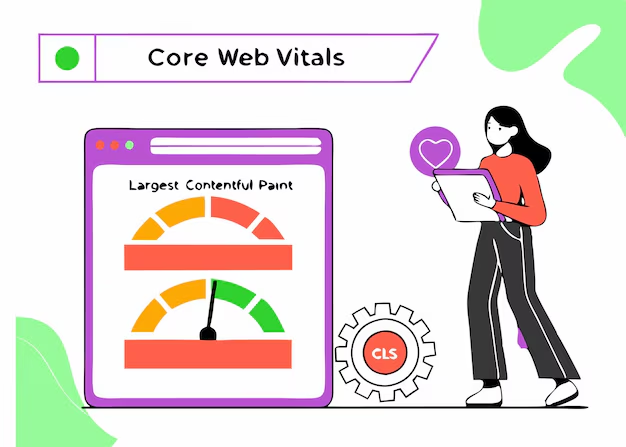
Google’s Core Web Vitals are a set of metrics that measure key aspects of user experience: Largest Contentful Paint (LCP) (loading performance), First Input Delay (FID) (interactivity), and Cumulative Layout Shift (CLS) (visual stability). These metrics are now part of Google’s ranking criteria, making them essential for SEO.
Improving page speed is vital for both user experience and SEO. Slow-loading pages frustrate users and increase bounce rates. To enhance page speed, consider strategies like compressing images, minifying CSS and JavaScript, and leveraging browser caching. Using a Content Delivery Network (CDN) can also improve load times by distributing your site’s content across multiple servers worldwide.
Your choice of hosting provider and server performance significantly impacts your site’s page speed and SEO. A reliable provider with fast server response times ensures your site loads quickly and consistently.
Site Structure and Navigation
A well-structured site is essential for both user experience and SEO. A logical site structure allows search engines to crawl and index your site more effectively, improving your search rankings. It also makes it easier for users to find the information they need. Organise your content into clear categories and subcategories, creating a logical hierarchy. Use breadcrumb navigation to help users understand their location within your site.
Clear and consistent navigation is crucial for guiding users. Your main navigation menu should be easy to understand, with clear labels and a logical order. Consistency across your site ensures a seamless experience. Consider using a sticky navigation bar that remains visible as users scroll, and ensure your navigation is mobile-friendly.
Internal linking is a powerful SEO strategy. By linking related pages and using descriptive anchor text, you can distribute page authority across your site, improve crawlability, and help search engines understand the context of your content. Internal linking also enhances user experience by guiding visitors to additional resources, increasing dwell time and reducing bounce rates.
Visual Design and Search Visibility
Branding plays a crucial role in visual design and can significantly impact user engagement and SEO. A strong brand identity creates a cohesive and memorable experience, building trust and encouraging loyalty. Consistent branding across your site, including colour schemes, typography, and imagery, reinforces your brand message and enhances user experience.
Visual hierarchy guides users through your site, helping them understand the importance of different elements. By strategically using size, colour, contrast, and spacing, you can create a clear visual hierarchy that enhances user experience and supports your SEO.
The right colour scheme can evoke emotions and convey your brand message, while typography affects readability and can enhance or detract from user experience. Choose colours that align with your brand and resonate with your audience, and use legible fonts with good contrast between text and background.
Readability and Typography
Readability is a crucial aspect of web design that impacts user experience and SEO. Clear, legible content keeps users engaged. Use concise language, short paragraphs, and simple sentence structures. Breaking content into smaller sections with headings, bullet points, and lists also improves readability and makes it easier for users to scan your site.
Typography significantly impacts readability. The right font choice enhances your site’s aesthetics and readability. Consider font size, line height, and spacing to ensure your content is easy to read. Use legible fonts optimised for web use, and avoid using too many different font styles.
Contrast and spacing are essential design elements that enhance readability. Good contrast between text and background ensures your content is easy to read, and adequate spacing creates a clean, organised appearance.
Effective Use of Media (Images, Videos)
Images are powerful for enhancing visual appeal, but they must be optimised for SEO. Large, unoptimised images slow down your site, negatively impacting user experience and search rankings. Compress images to reduce file size without sacrificing quality, and use descriptive file names and alt text. Alt text helps search engines understand image content and improves accessibility for visually impaired users.
Videos are effective for engaging users and conveying information. They can enhance your site’s appeal and encourage longer visits, increasing dwell time and reducing bounce rates. Optimise videos for faster loading and provide descriptive titles and descriptions. Embedding videos from platforms like YouTube can also improve load times and increase your site’s visibility through video search.
Prioritising accessibility with media is crucial. Providing captions for videos and using alt text for images ensures that all users, including those with disabilities, can engage with your content.
Accessibility Features
Alt text is a crucial accessibility feature that describes image content to visually impaired users and search engines. By providing descriptive alt text, you improve accessibility, enhance user experience, and support your SEO efforts.
ARIA (Accessible Rich Internet Applications) labels provide additional information about interactive elements on your site, improving accessibility for users with disabilities. ARIA labels are particularly useful for complex interactive elements like forms, buttons, and menus.
Designing for inclusive user experience isn’t just a legal requirement; it’s an opportunity to create a site that resonates with a diverse audience. Prioritising accessibility features ensures your site is usable by all, regardless of their abilities.
SEO-Driven Design Best Practices
- Responsive Design: Ensures your site adapts to different screen sizes and devices, providing a seamless experience and aligning with Google’s mobile-first indexing.
- Clean Code and Minimal Plugins: Using efficient code enhances performance, improves load times, and reduces errors. Minimise unnecessary plugins, choosing reputable ones that are regularly updated.
- Internal Linking Strategy: Guides users through your site, distributes page authority, and improves crawlability for search engines.
Tools to Evaluate SEO Impact of Design
- Google PageSpeed Insights: Analyses page speed and Core Web Vitals.
- Google Mobile-Friendly Test: Tests responsiveness.
- Lighthouse (Chrome DevTools): Audits performance, accessibility, and SEO.
- Ahrefs/Semrush: Tracks keyword rankings, site structure, and user behaviour.
- Hotjar or Microsoft Clarity: Visualises user engagement and friction points.
Common Design Mistakes That Hurt SEO
- Avoiding Flash and Excessive Pop-Ups: Flash elements aren’t supported by many devices, and excessive pop-ups frustrate users. Use HTML5 for interactive elements and keep pop-ups to a minimum.
- Lack of Image Optimisation: Unoptimised images slow down your site. Always compress images and use descriptive file names and alt text.
- Failing to Ensure Mobile Responsiveness: A non-responsive site significantly impacts SEO and user experience, especially with so much mobile traffic.
Conclusion and Action Steps
Web design and SEO are inextricably linked, each playing a crucial role in boosting your site’s visibility and engagement. By focusing on user experience, mobile responsiveness, page speed, site structure, and accessibility, you can create a website that’s both visually appealing and optimised for search engines.
Start by evaluating your current design and implementing the best practices outlined here. Prioritise user experience, ensuring your site is mobile-responsive, fast-loading, and easy to navigate. Regularly audit your site’s performance and make necessary improvements. Take action today to conduct a comprehensive audit of your website’s design and enhance its SEO performance. The right approach can significantly boost your site’s visibility and engagement, ultimately driving more traffic and conversions.
Ready to transform your online presence? If you’re looking to upgrade your website and ensure it’s fully optimised for search engines and your customers, contact Bemunchie Online today! Discover how our expert web design and SEO services can help your business thrive in the digital world.